
Engineering Precision: The Swift MCP Server for MetaScope
How we built a specialized MCP server to connect AI assistance directly to Apple's documentation ecosystem, enabling precision development for MetaScope.

Developing a professional-grade macOS instrument like MetaScope requires an intimate dialogue with Apple’s evolving frameworks. To maintain our standard of precision in metadata management, our engineering team requires a sophisticated way to interface with the vast Apple documentation ecosystem.
The result is the Swift MCP Server. This specialized bridge connects AI assistance directly to the technical pulse of Cupertino. By integrating this into our workflow, we have moved beyond generic code snippets toward a development environment that respects the integrity of the macOS platform.
The Architecture of Native Intelligence
To build a tool as robust as MetaScope, technical context must be absolute. The Swift MCP Server is a unified indexing engine that aggregates over 650 documents across the primary pillars of Apple development.
The server exposes 17 specialized tools that allow a development environment to query, lint, and format code with native awareness. These include:
- Unified Documentation Access: Using
apple_docs_search, we resolve complex NSWindow behaviors or PhotoKit nuances by searching Apple’s DocC documentation with framework and kind filters. - Evolutionary Context: With
swift_evolution_lookup, we do not simply use new syntax. We understand the design rationale behind language changes by searching proposals by ID or keyword. - Adherence to Guidelines: The
swift_guidelines_checktool performs heuristic checks against Apple’s API Design Guidelines to ensure naming conventions and Swift idioms remain consistent.
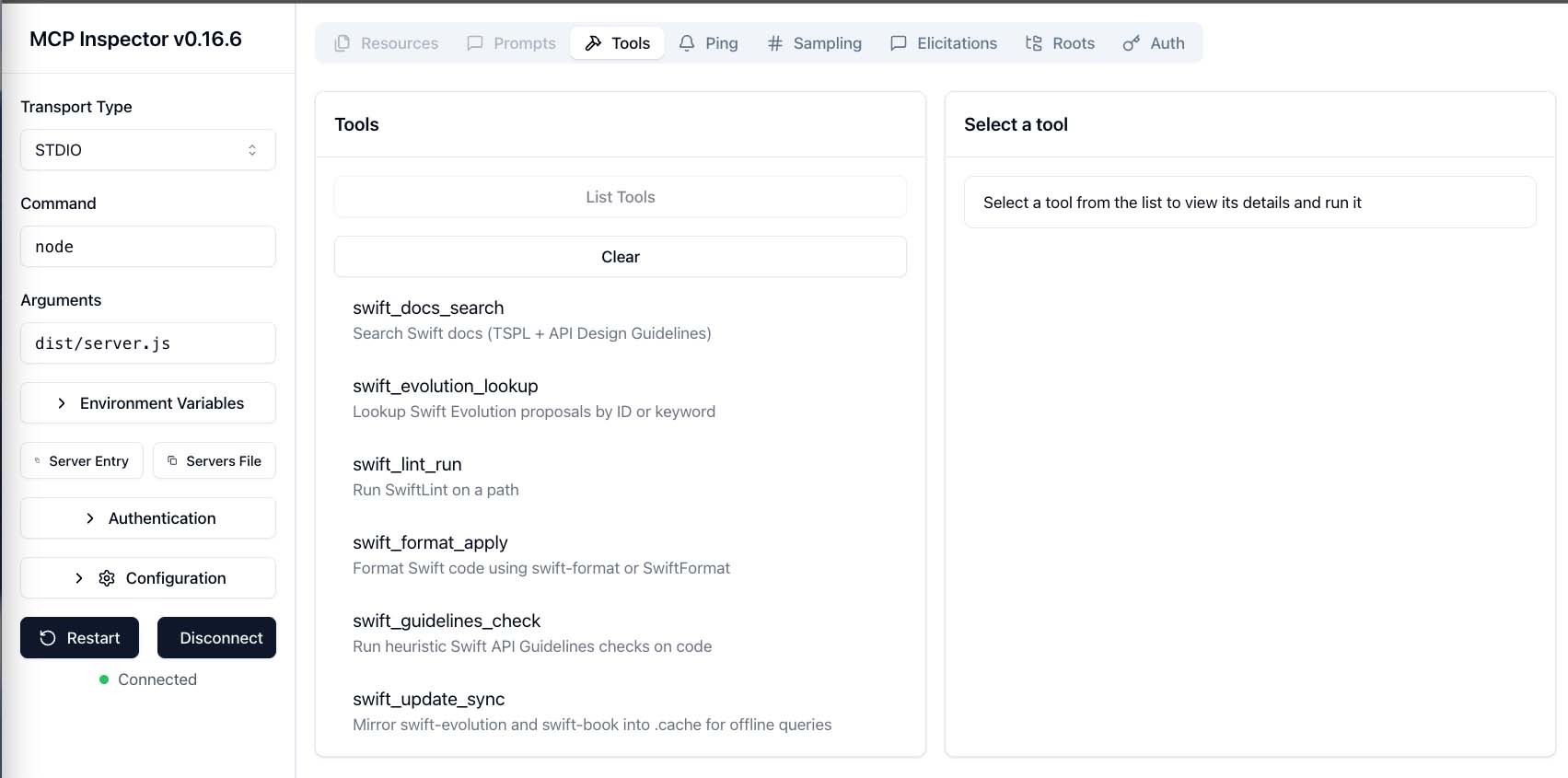 The MCP Inspector interface displaying the full toolkit available through the Swift MCP Server.
Content Inventory Summary
| Source | Indexed Documents | Status |
|---|---|---|
| Apple API Docs | 300+ | Auto-populated from developer.apple.com |
| Swift Evolution | 400+ | Mirrored directly from GitHub |
| TSPL (Swift Book) | 327 | Fully indexed chapters and code examples |
Patterns and Recipes for Professional Quality
Generic code often fails to meet the requirements of a premium macOS experience. Our MCP server utilizes custom patterns to maintain high standards across our codebase.
By defining YAML-based recipes for frequent tasks, such as handling complex EXIF writing or managing window levels, we ensure every update to MetaScope remains stable and performant. A recipe for video overlay export, for example, provides a vetted workflow including AVMutableComposition and proper AVAssetExportSession handling to ensure data integrity during every render.
Deployment for macOS Engineers
For those building high-performance macOS applications, the Swift MCP Server is available for integration into your own local environment. It transforms a standard AI assistant from a generalist into a specialist that understands the nuances of the Swift ecosystem.
Quick Start Guide
- Clone the Repository: Download the source from GitHub and install dependencies via Node.js.
- Populate the Cache: Run the update script to download the Swift Book, mirror Swift Evolution proposals, and build local indexes.
- Configure the Assistant: Add the server to your MCP settings to grant your coding assistant real-time access to Apple documentation.
# Populate the local index with frameworks critical to your project
node -e "import('./dist/tools/docs_populate.js').then(m=>m.docsPopulate({
  frameworks: ['SwiftUI', 'AppKit', 'Photos', 'Foundation'],
  maxPerFramework: 100
}))"
Precision in development leads to precision in the final product. By utilizing the Swift MCP Server, we ensure that MetaScope remains a reliable and sophisticated metadata editor for the macOS platform.
Download the Swift MCP Server on GitHub: github.com/gzaal/swift-mcp-server