
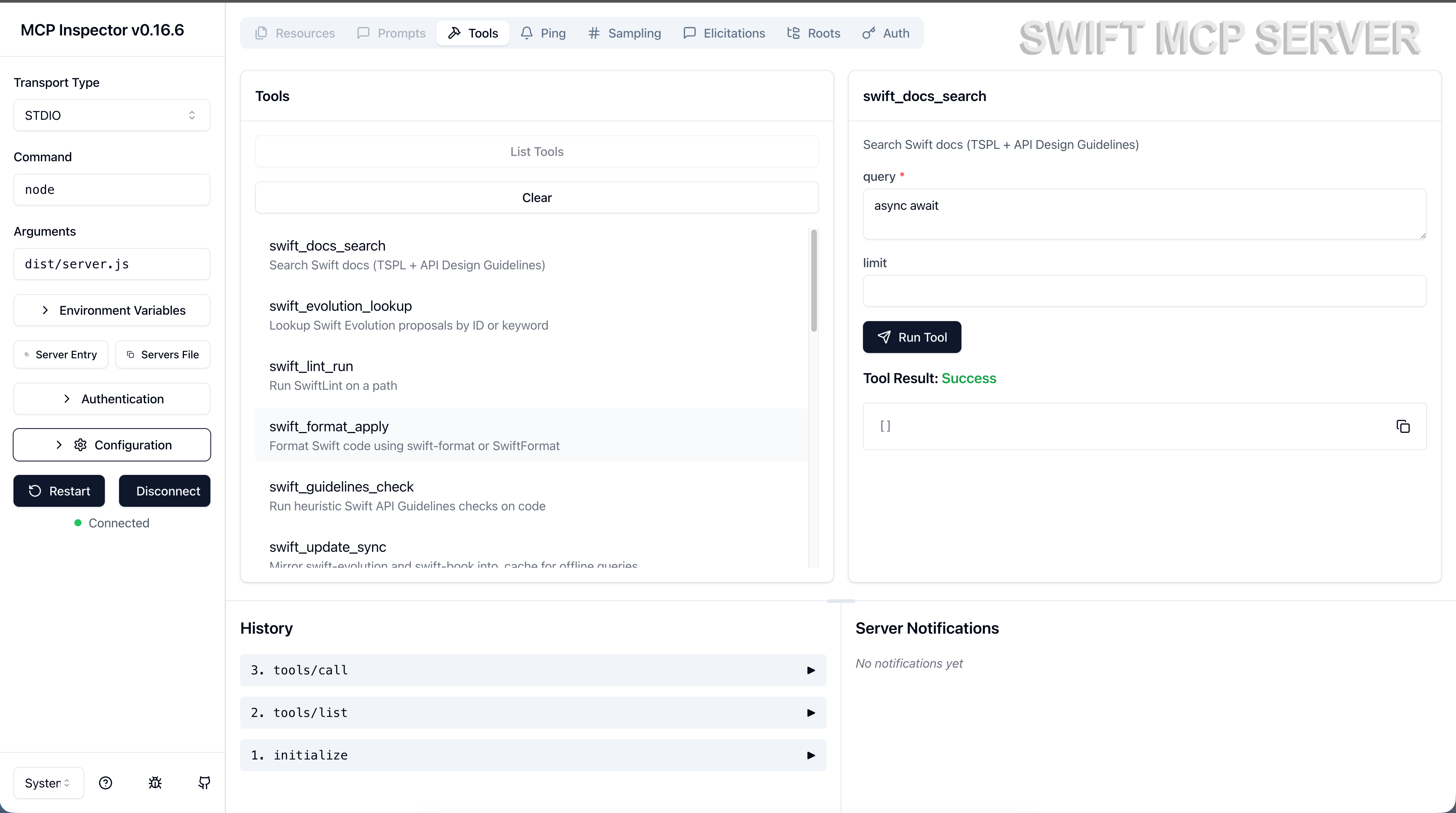
The Problem
AI assistants are powerful coding partners, but they have a critical limitation: knowledge cutoff. When you’re building Swift apps, your AI might:
- Suggest deprecated APIs
- Miss recent Swift language features
- Provide incorrect framework usage
- Ignore Apple’s Human Interface Guidelines
Swift MCP Server bridges this gap.
How It Works
Your AI Assistant  <->  Swift MCP Server  <->  Live Documentation
     (Claude)              (17 tools)         (650+ documents)
The server connects via the Model Context Protocol, giving your AI instant access to:
- The Swift Programming Language book
- Apple Developer Documentation
- Swift Evolution proposals
- Human Interface Guidelines
- Custom patterns and recipes
Features
Search Everything
Unified Hybrid Search across all documentation sources with faceted filtering.
Query: "NSWindow keyboard"
Sources: Apple Docs, Patterns, TSPL
Filters: Framework=AppKit, Kind=method
Stay Current
Swift Evolution Integration - Look up any proposal by ID or keyword. Know exactly when features were introduced and why.
SE-0302: Sendable and @Sendable closures
Status: Implemented (Swift 5.5)
Auto-Populate
Smart Documentation Fetching - Scan your project, detect frameworks, and automatically populate relevant documentation.
Detected: SwiftUI, AVFoundation, Photos, CoreImage
Fetching: 200 symbols across 4 frameworks...
Code Quality
Built-in Linting & Formatting - SwiftLint and swift-format integration for consistent, guideline-compliant code.
17 Powerful Tools
| Category | Tools |
|---|---|
| Search | swift_docs_search, apple_docs_search, search_hybrid, hig_search |
| Lookup | swift_symbol_lookup, swift_evolution_lookup, swift_recipe_lookup |
| Code Quality | swift_lint_run, swift_format_apply, swift_guidelines_check |
| Content | apple_docs_populate, swift_project_scan, cocoa_patterns_search |
| Management | swift_update_sync, apple_docsets_import, index_status, swift_scaffold_module |
Content Library
| Source | Coverage |
|---|---|
| Apple Docs | 300+ symbols from SwiftUI, AppKit, Foundation, and more |
| TSPL | 327 fully-indexed sections with code examples |
| Swift Evolution | 400+ proposals with status tracking |
| HIG | Cached Human Interface Guidelines |
| Patterns | Extensible YAML-based pattern library |
| Recipes | Step-by-step development recipes |
Quick Start
1. Install
git clone https://github.com/gzaal/swift-mcp-server.git
cd swift-mcp-server
npm install && npm run build
2. Initialize
node dist/tools/update.js3. Connect
Add to your MCP client configuration:
{
  "mcpServers": {
    "swift": {
      "command": "node",
      "args": ["/path/to/swift-mcp-server/dist/server.js"]
    }
  }
}
4. Populate Your Frameworks
node -e "import('./dist/tools/docs_populate.js').then(m=>m.docsPopulate({
  frameworks: ['SwiftUI', 'AppKit', 'Foundation']
}))"
Use Cases
macOS App Development
Access AppKit documentation, window management patterns, and menu handling recipes instantly.
iOS/SwiftUI Development
Search SwiftUI views, modifiers, and data flow patterns. Get accurate documentation for the latest APIs.
Framework Authors
Look up API Design Guidelines and Swift Evolution proposals to ensure your APIs follow best practices.
Learning Swift
Search TSPL chapters and sections. Understand language features with full context from official documentation.
Extensible
Add Your Own Patterns
# content/patterns/my-pattern.yaml
id: custom-keyboard-handling
title: Custom Keyboard Handling
tags: [keyboard, events, appkit]
summary: Handle keyboard events in NSView subclasses
snippet: |
  override func keyDown(with event: NSEvent) {
      // Your implementation
  }
takeaways:
  - Override keyDown for character input
  - Override performKeyEquivalent for shortcuts
Add Development Recipes
# content/recipes/my-recipe.yaml
id: video-export-pipeline
title: Video Export Pipeline
tags: [video, avfoundation]
steps:
  - Create composition
  - Add overlay layers
  - Configure export session
  - Handle completion
Docker Support
Run anywhere with the pre-built Docker image:
docker pull ghcr.io/gzaal/swift-mcp-server:latest
docker run -it ghcr.io/gzaal/swift-mcp-server
Includes swift-format, SwiftFormat, and SwiftLint pre-compiled for Linux.
Open Source
Swift MCP Server is open source and welcomes contributions.
- Repository: github.com/gzaal/swift-mcp-server
- License: MIT
- Issues: Report bugs or request features
Requirements
- Node.js 18+
- macOS, Linux, or Docker
- Optional: swift-format, SwiftFormat, SwiftLint