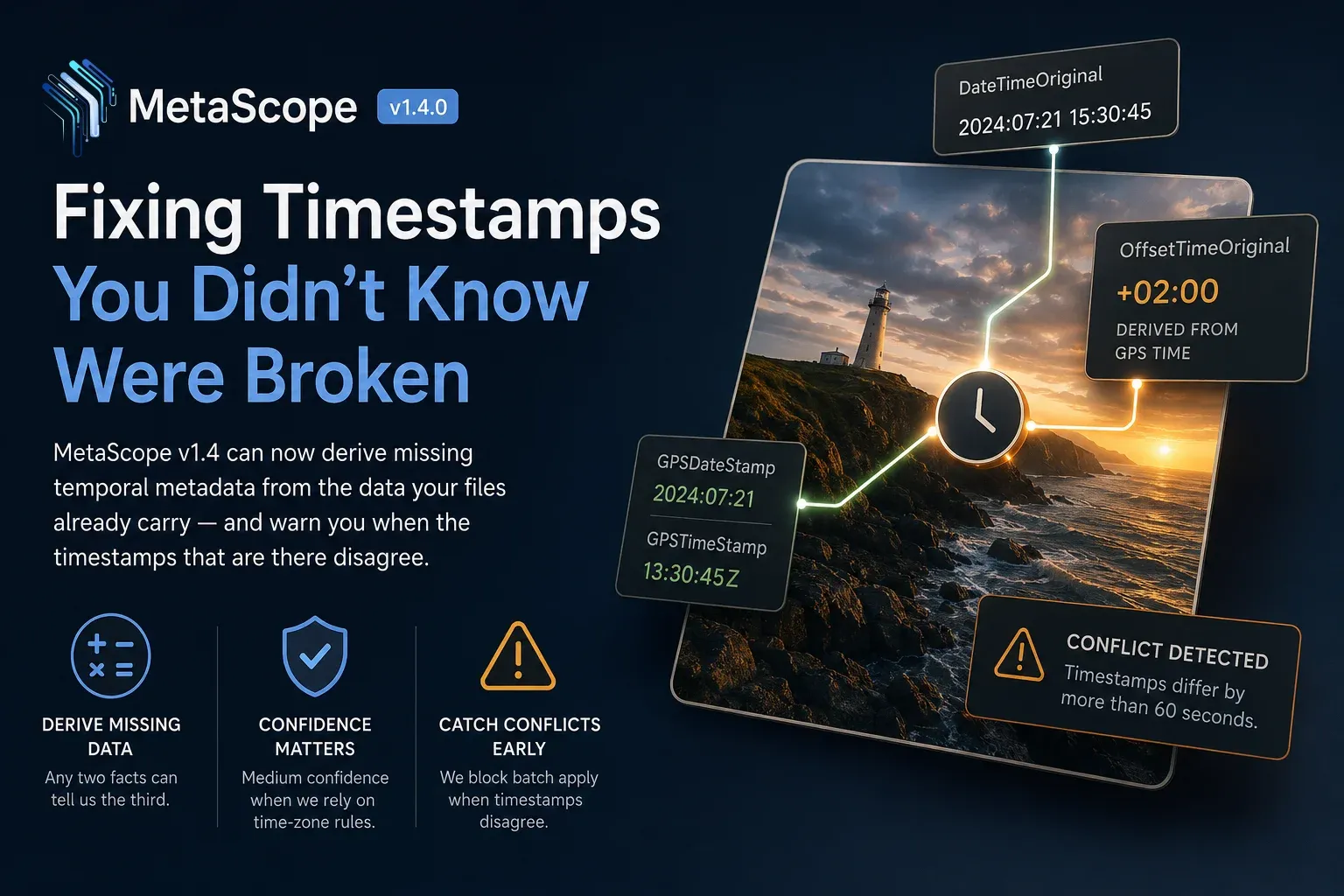
A photo’s capture time looks simple until it breaks.
One app says the image was taken at 3 PM. Another sorts it hours later. A GPS-aware tool reads the UTC time correctly, but the local timestamp has no offset. A camera records location but not the time-zone context. Suddenly the question “when was this photo taken?” is not one answer. It is a small metadata puzzle.
MetaScope v1.4.0 adds temporal enrichment: a set of tools that can derive missing time metadata from the values already inside your files, and warn you when the values that exist do not agree.
No manual lookup. No spreadsheet. No guessing when the file already contains enough evidence.
Capture time is a system, not a single field
Most image workflows treat capture time like one number. In practice, it is usually made of three related facts:
DateTimeOriginal: the local wall-clock time when the shutter firedOffsetTimeOriginal: the time-zone offset for that local time, such as+02:00or-08:00GPSDateStampandGPSTimeStamp: the same moment expressed in UTC by the GPS receiver
When all three are present and consistent, everything lines up.
But real libraries are rarely that clean. Some cameras write local time without an offset. Some write GPS coordinates without GPS time. Some tools preserve one timestamp while stripping another. And once those pieces drift apart, a photo can appear in the wrong place in a timeline even though nothing looks obviously broken.
The useful insight behind v1.4.0 is simple: when MetaScope has two reliable parts of the timestamp system, it can often derive the third.
That now happens directly in Date Operations.
Three derivations MetaScope can now make
1. Derive the missing offset from GPS time
If a file has both local capture time and GPS UTC time, but no time-zone offset, MetaScope can calculate the missing offset from the difference between them.
This path is pure arithmetic. It does not need a network connection or an external time-zone lookup. If the two timestamps are present and valid, the offset can be derived exactly.
By default, MetaScope fills missing offsets only. It will not overwrite an existing value unless you explicitly ask it to.
That matters because metadata tools should not silently rewrite history. They should make the safest useful change by default, and give you control when you want to be more assertive.
2. Derive the offset from GPS coordinates
Some files have GPS coordinates but no GPS clock. In that case, MetaScope can infer the likely time-zone offset from the capture location.
This is useful, but it is not the same kind of certainty. Location-based time-zone inference depends on time-zone rules, and those rules can change over time.
So MetaScope treats this result differently. It marks the derivation as medium confidence and warns when older captures may be affected by historical time-zone differences.
You still get the likely answer. You also get the caveat.
That is the right trade-off. A metadata tool should help you move faster without pretending uncertain data is certain.
3. Derive GPS timestamps from local time and offset
The reverse path is just as important.
If a file has local capture time and a known offset, MetaScope can compute the corresponding UTC GPS timestamp and write GPSDateStamp and GPSTimeStamp.
That is useful when you are preparing files for tools, platforms, or workflows that expect UTC-based metadata.
MetaScope also handles date rollover correctly. If a late-night local capture converts to a different UTC calendar date, the app surfaces that instead of letting the change disappear into the batch.
Conflict detection before batch apply
Deriving missing values is only safe if the values already present make sense.
MetaScope v1.4.0 now checks for conflicts between local time, GPS UTC time, and explicit offset. If they disagree beyond the configured tolerance, 60 seconds by default, MetaScope raises a warning and blocks batch apply until you resolve it.
That behavior is deliberate.
A timestamp conflict usually means something upstream is wrong. Writing new derived metadata on top of a contradiction would only bury the problem deeper. MetaScope makes the conflict visible before the mistake spreads across a batch.
Where this fits in the workflow
Temporal enrichment lives in Date Operations, alongside MetaScope’s existing date-shifting and time-zone tools.
The design follows the same principle used throughout the app:
- Fill missing values by default.
- Overwrite only when asked.
- Flag uncertainty instead of hiding it.
In practice, that means you can:
- fill missing offsets for GPS-tagged files using exact UTC arithmetic
- infer offsets from GPS coordinates when no GPS clock exists
- generate UTC GPS timestamps from local time and offset
- catch timestamp conflicts before they become batch-wide damage
The larger point is that capture time is not just a label. It is a relationship between local time, UTC time, offset, and sometimes location.
MetaScope v1.4.0 now understands more of that relationship, and can help repair it when the metadata is incomplete.
For anyone managing serious photo libraries, that is the difference between timestamps that merely exist and timestamps you can actually trust.
MetaScope v1.4.0 is available now. Applying temporal derivations across a batch of files requires MetaScope Pro, which can be started from within the app.