Privacy · Redaction · Batch
Deliver clean files, safely.
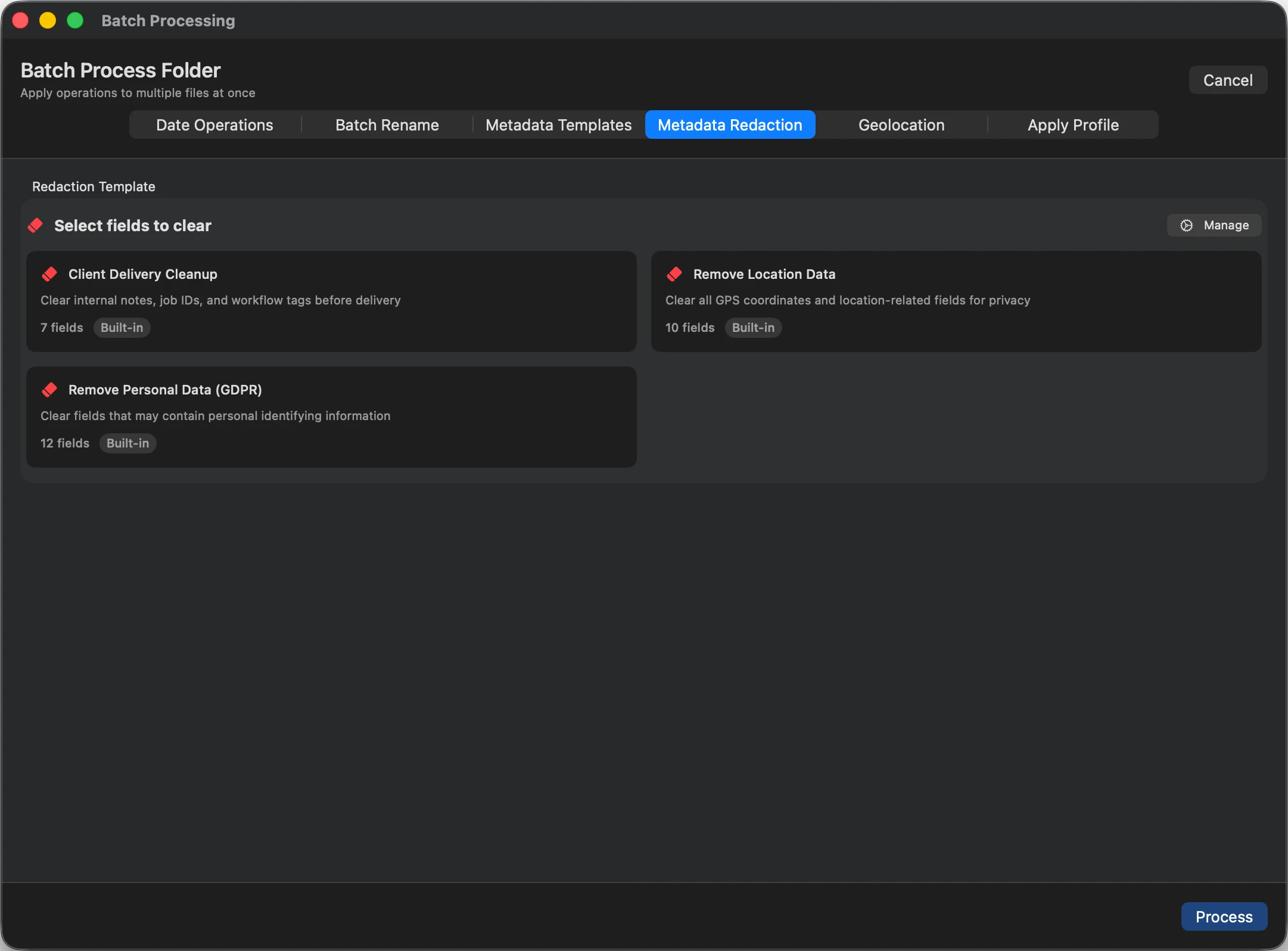
Photos quietly carry the exact spot they were taken and the device that shot them. Before you send a shoot to a client, MetaScope strips that private data from the whole batch, adds your copyright, and leaves the image itself untouched.
The problem
Every file you hand over can leak where it was taken and what shot it. Cleaning that out one image at a time does not scale, and some tools re-encode the photo or wipe your copyright while they are at it.
01 · Strip the private data
Remove location and personal data, in bulk.
A Client Delivery Cleanup template clears GPS and location fields and personal or device data across the whole shoot in one action. You see exactly which files carry location before you clear it.
- GPS coordinates
- Location names
- Device and serial
- Personal data
02 · Keep what should stay
Add your copyright on the way out.
Removing private data should not remove your ownership. Apply a copyright profile in the same session, so the files that leave your Mac are clean of location yet still carry your Copyright Notice and Credit Line.
Set copyright once →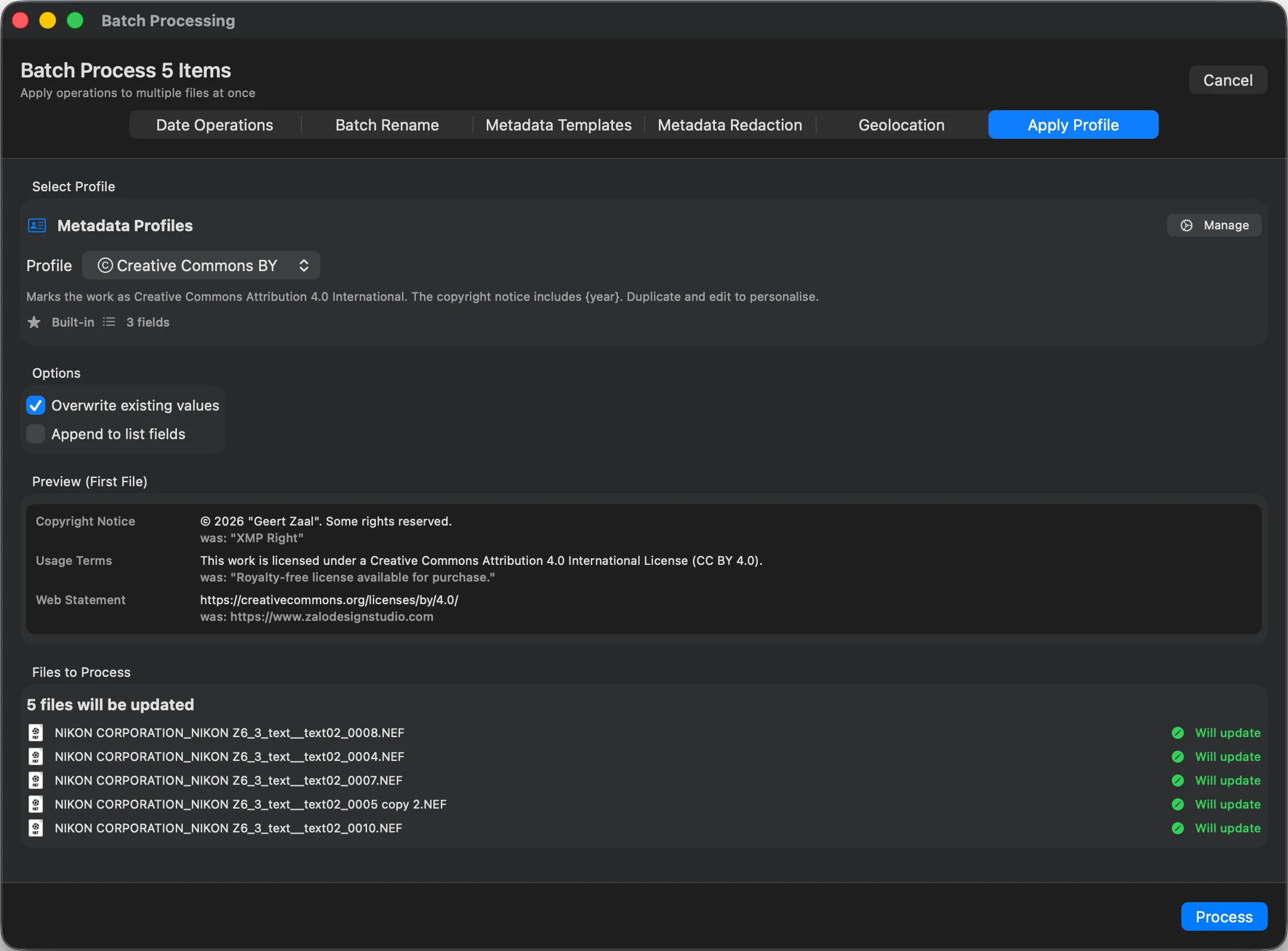
03 · Hand it over
Export a clean deliverable.
Send the cleaned files, or wrap them in a branded PDF or HTML gallery for review. Either way the original photos stay exactly as they were, only cleaner.
About export →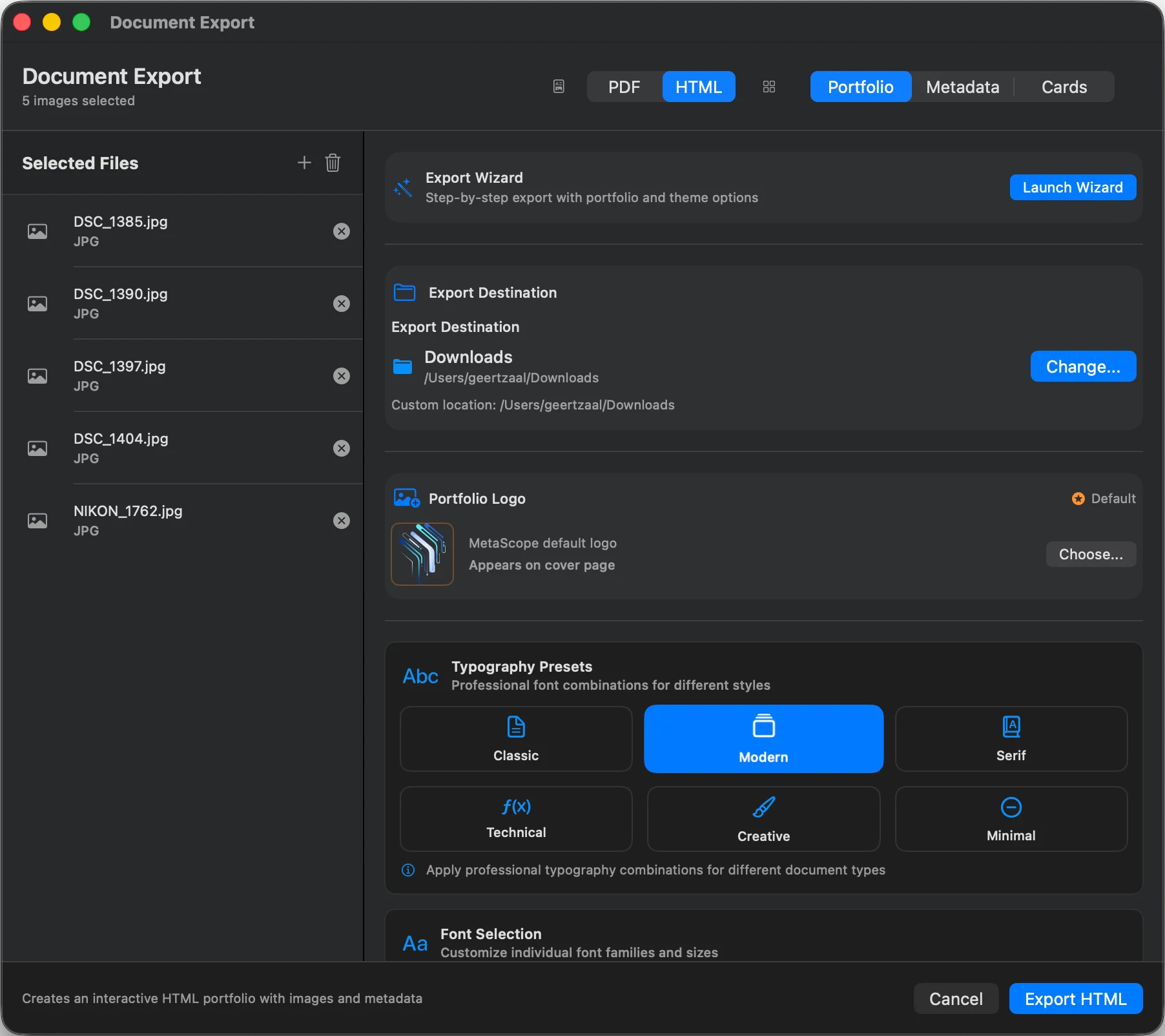
| Field | Before | After |
|---|---|---|
| GPS:Latitude | 52.3702 | (removed) |
| GPS:Longitude | 4.8952 | (removed) |
| EXIF:SerialNumber | 3021994 | (removed) |
| IPTC:CopyrightNotice | (empty) | © 2026 Your Studio |
| Image pixels | Original | Unchanged |
Local by design
Cleaning happens on your Mac.
MetaScope works on the files on your machine. There is no upload step, so images you are about to deliver are never sent to a third-party service to be cleaned.
FAQ
Clean delivery questions
Does removing metadata reduce image quality?
No. MetaScope removes the metadata fields in place. The pixels are not re-encoded, so the photo a client receives is identical in quality to the original.
What exactly gets removed?
You choose. A redaction template can clear GPS and location, personal and device data for a GDPR-style cleanup, while keeping the fields you want to deliver, such as your copyright.
Can I strip GPS from just one image quickly?
Yes. For a one-off with nothing to install, the free online metadata viewer strips GPS in your browser. For a whole shoot, MetaScope does it in one batch.
Can I remove private data and add my copyright in the same pass?
Yes. Clear the location and personal fields, then apply a copyright profile, so the files that leave your Mac are both clean and correctly attributed.
Go deeper
Send files that are clean and correctly credited.