Copyright · IPTC · Templates
Set your copyright on every photo, once.
Stock submissions, client deliveries and archives all expect the same IPTC copyright, creator and credit on every image. MetaScope saves your rights as a reusable profile and applies it to a whole shoot in one action, written straight into the files.
The problem
Typing copyright into files one at a time does not scale, and small differences between images (a missing credit line, an inconsistent notice) cause real problems downstream. You want the same rights on every file, correct to the standard.
01 · Build it once
Save your rights as a reusable profile.
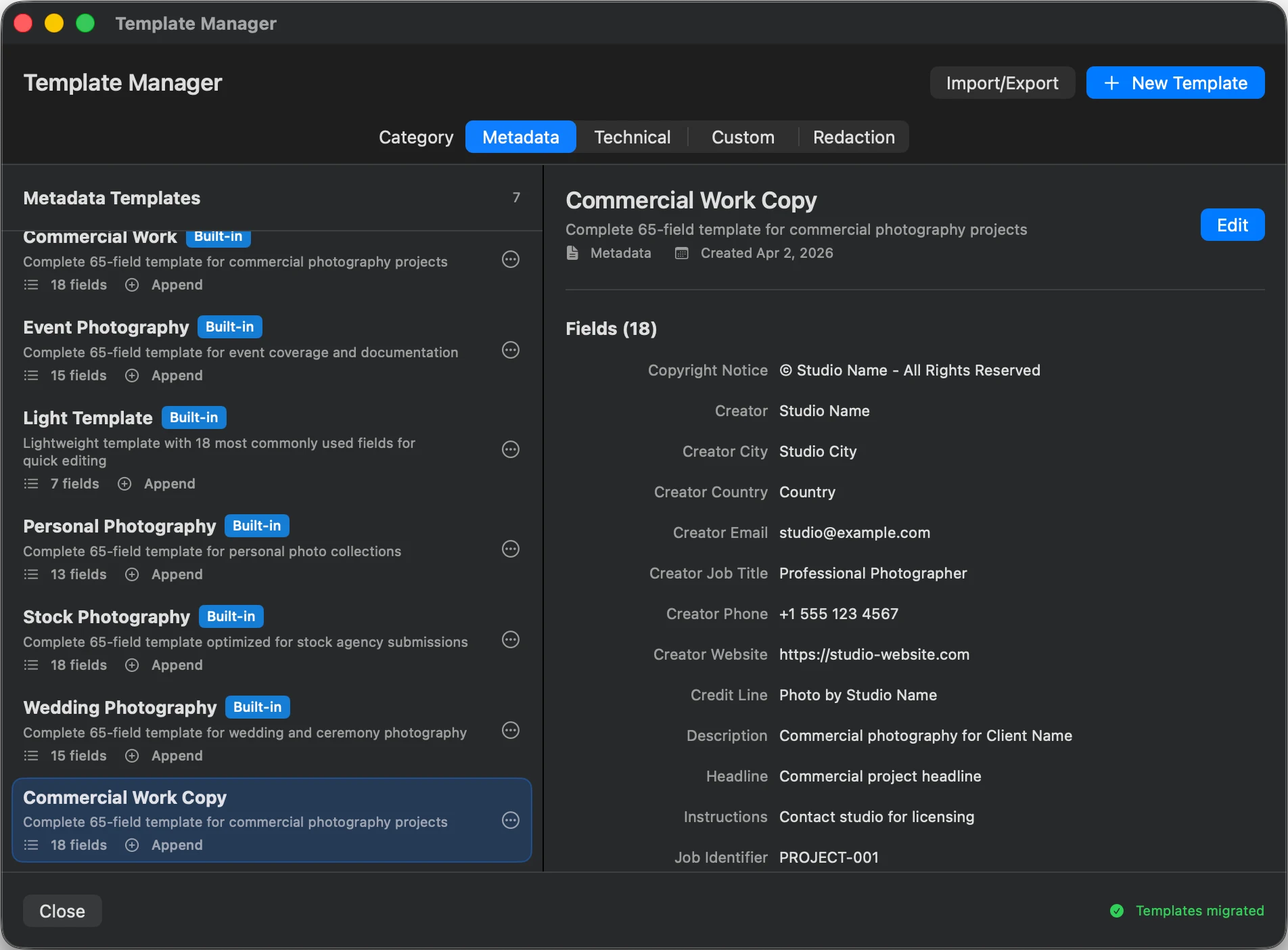
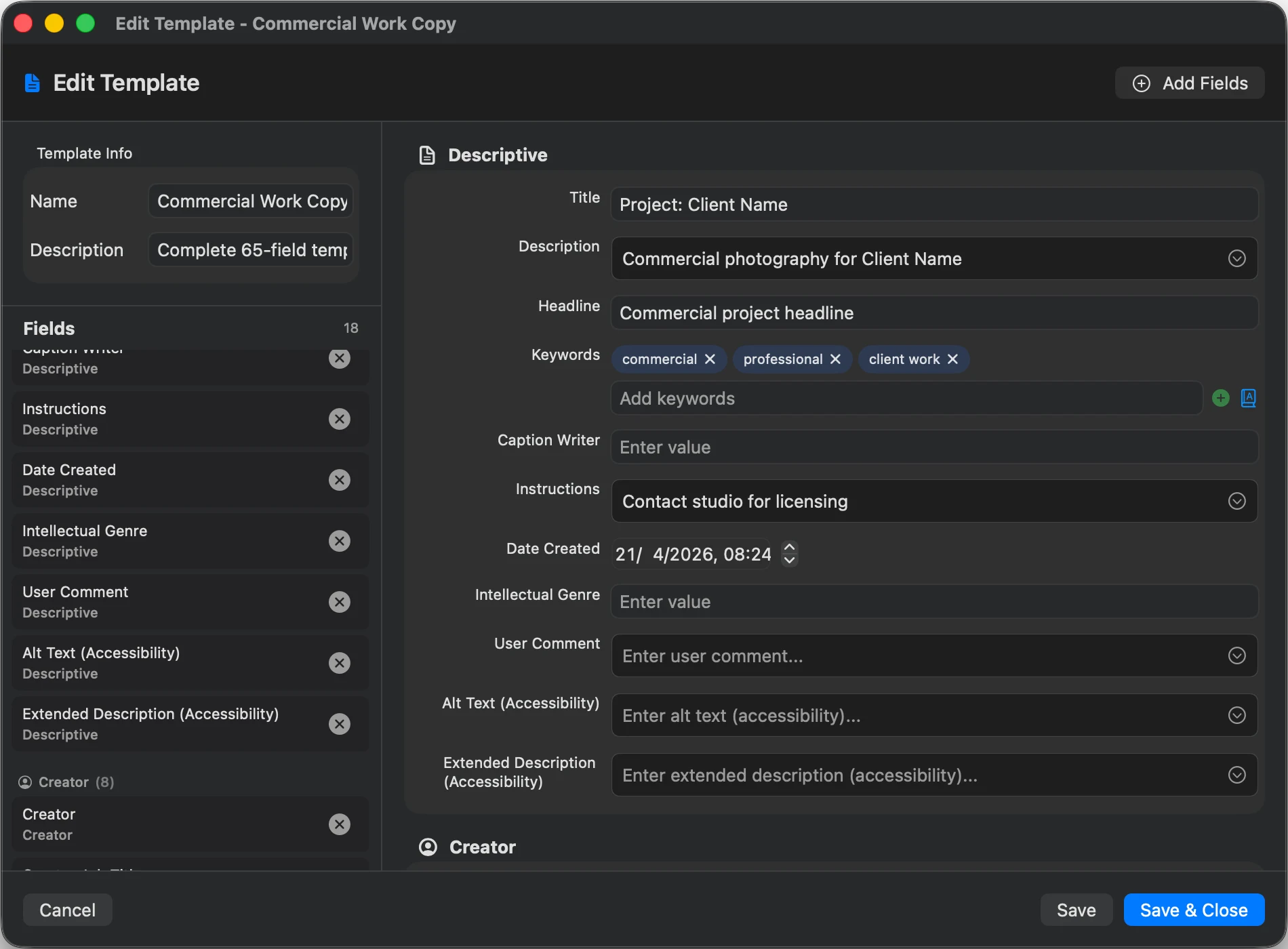
Enter your Copyright Notice, Creator, Credit Line and Usage Terms once and save them as a profile. Dynamic tokens (such as the capture year) keep a notice current without editing it every time.
- Copyright Notice
- Creator
- Credit Line
- Usage Terms
- Web Statement
02 · Apply to the whole shoot
One action, hundreds of files.
Select the full set and apply the profile once. MetaScope shows exactly how many files will be updated, then writes the same rights block into every one, so nothing is left half-tagged.
See the step by step →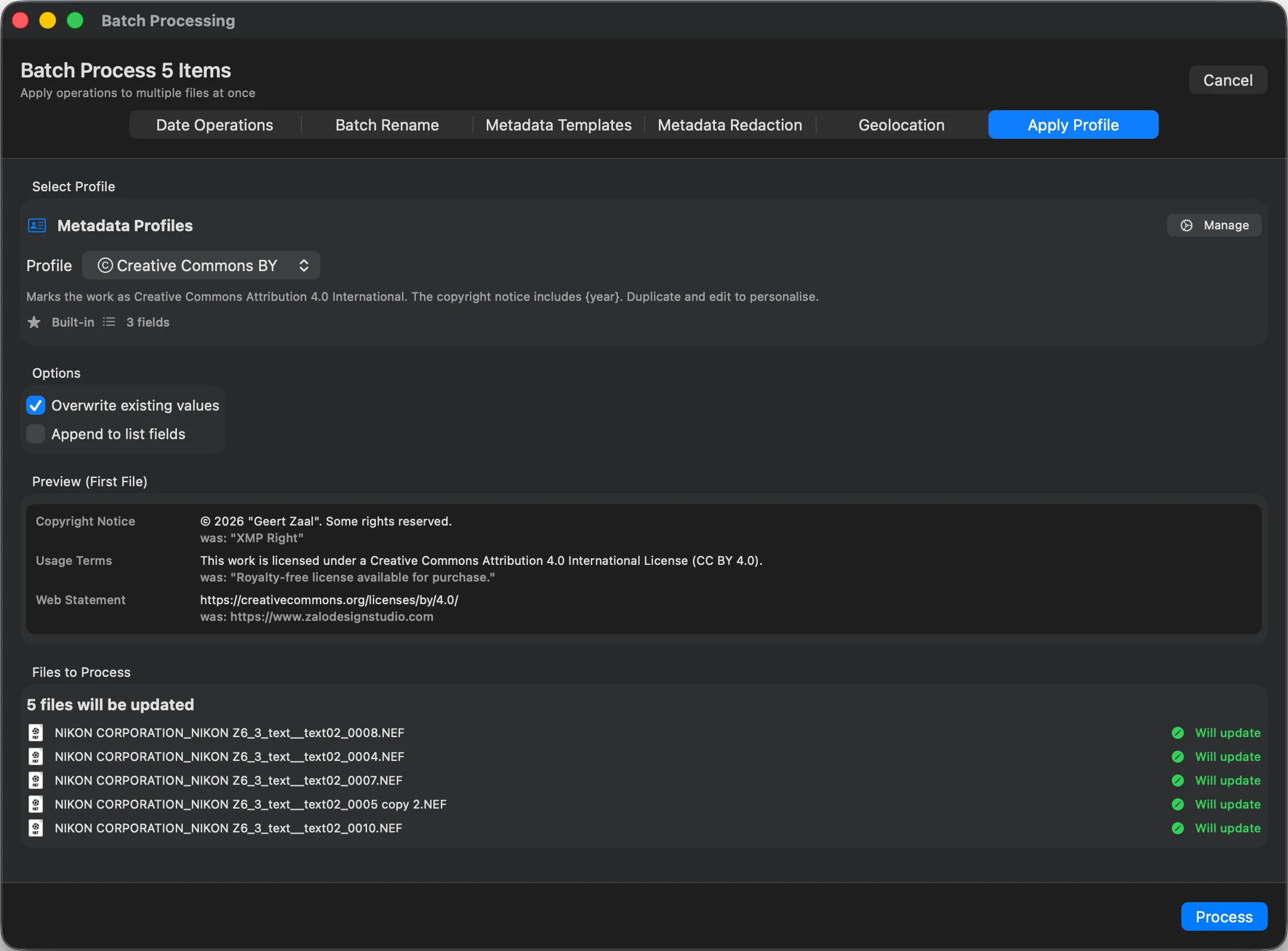
03 · Keep it consistent
Let rules fill the credit line for you.
Transformation rules build a credit line from the creator, or copy the copyright notice into the credit field, so the same logic runs on every import. Controlled vocabularies keep the wording identical from file to file.
About transformation rules →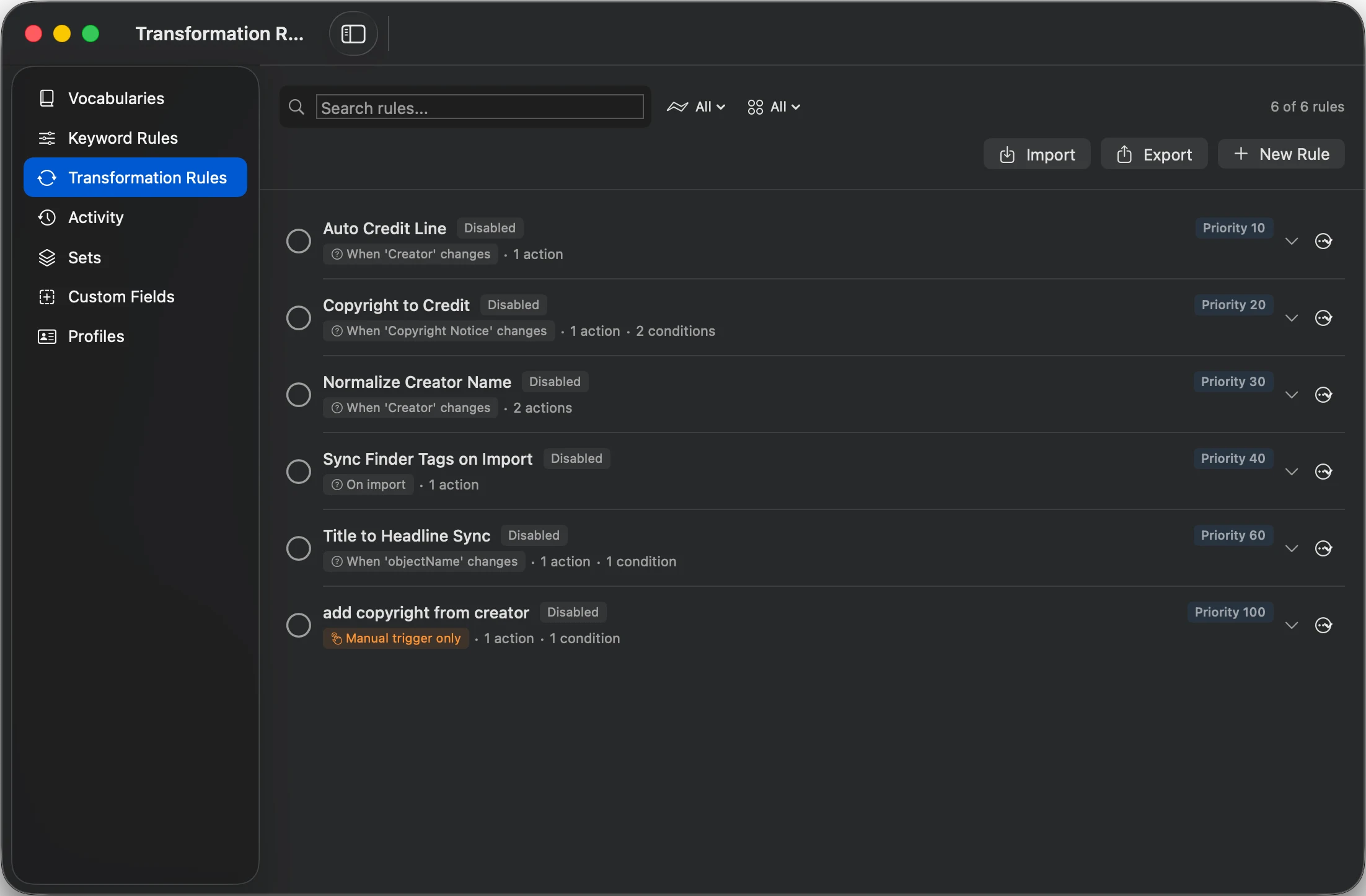
| Field | Before | After |
|---|---|---|
| IPTC:CopyrightNotice | (empty) | © 2026 Your Studio |
| IPTC:Creator | (empty) | Your Name |
| IPTC:CreditLine | (empty) | Your Studio |
| XMP:UsageTerms | (empty) | All rights reserved |
| Image pixels | Original | Unchanged |
Good to know
How it writes.
macOS 15.4 Sequoia or later. Apple Silicon or Intel.
Writes IPTC IIM and XMP rights fields, the ones stock and DAM systems read.
Metadata is written directly into the file. The image is not re-encoded.
FAQ
Copyright questions
Does it write standards-correct IPTC copyright?
Yes. MetaScope writes the IPTC and XMP rights fields that stock agencies, clients and digital asset managers expect, including Copyright Notice, Creator, Credit Line and Usage Terms.
Will it overwrite copyright that is already there?
You decide. A profile only sets the fields you put in it, so you can add a credit line without touching other metadata, or replace the full rights block across a selection.
Which rights fields can I set?
Copyright Notice, Creator, Credit Line, Usage Terms, Web Statement of Rights and contact fields, among others. You can also keep them consistent across files with controlled vocabularies and transformation rules.
Does it change the image itself?
No. MetaScope writes the rights metadata in place. The pixels are not re-encoded, so quality is identical to the original.
Go deeper
Put your copyright on every photo, once.